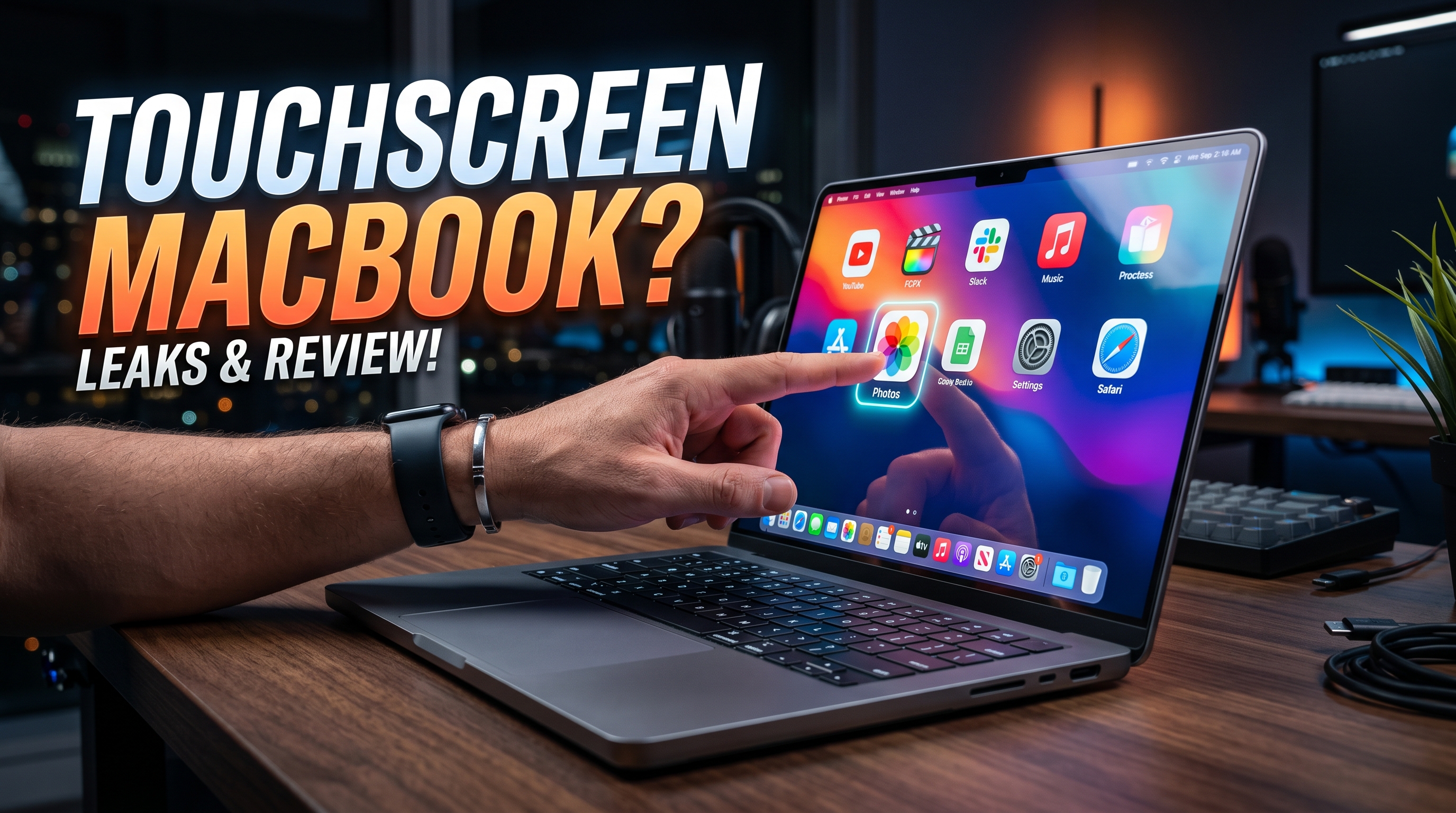
For years, the idea of a touchscreen MacBook felt like one of those rumors that refused to die.
Apple kept rejecting it publicly. Windows laptop makers kept shipping touchscreens anyway. Most users ignored the feature after the first week, and the entire category settled into this weird middle ground where touch existed, but rarely felt essential.
Then I spent time using a third-party touchscreen attachment for a MacBook.
What surprised me wasn’t the hardware. The hardware was actually impressive.
What changed my mind was realizing that the biggest problem was never the screen. It was macOS itself.
A Touchscreen MacBook Already Exists — Sort Of
The setup is called Magic Screen. It attaches magnetically to a MacBook display and adds full touchscreen functionality, including stylus support.
Not simulated touch. Not remote desktop tricks. Actual touch input directly on macOS.
You can scroll through websites with your fingers, interact with apps naturally, and even use pressure-sensitive pen input inside creative tools like Photoshop. The accessory also works independently as a drawing tablet, similar to a Wacom device.
From a hardware perspective, it’s surprisingly polished.
The digitizer layer feels responsive. The pen latency is low enough to feel usable for real work. There’s even a folding support stand to stabilize the screen while tapping or drawing.
And honestly, after using it for a while, the experience exposes something important:
Apple probably could ship a touchscreen MacBook tomorrow.
The problem is that macOS still behaves like a desktop operating system pretending touch input doesn’t exist.
macOS Was Never Designed for Fingers
This becomes obvious within minutes.
Buttons are too small. Window controls require precision. File management feels awkward. Menus assume you have a cursor, not a fingertip.
You start noticing how heavily macOS depends on pixel-level accuracy.
That design philosophy made perfect sense for decades because Macs were built around trackpads and mice. Apple optimized the entire interaction model around pointer precision, not direct manipulation.
And to be fair, Steve Jobs wasn’t entirely wrong when he criticized touchscreen laptops back in 2010.
Vertical touchscreens are tiring during extended use. Fingerprints accumulate instantly. Most people still rely primarily on keyboards and trackpads even when touch exists.
That’s exactly what happened in the Windows ecosystem.
Touchscreens became common, but they rarely became central to how people used laptops.
Windows Added Touchscreens. Apple Waited.
This difference matters.
Microsoft approached touch by layering it onto existing desktop experiences. The result works, but often feels compromised.
Windows 11 tries to adapt with larger spacing, gesture support, and touch-aware interface adjustments, but the system still fundamentally behaves like a desktop OS first.
Apple took the opposite approach.
Instead of forcing touch onto macOS, they separated computing into two distinct products:
- Mac for pointer-driven productivity
- iPad for touch-first interaction
At the time, that division actually made sense.
The issue is that the line between those products has slowly disappeared.
Apple Silicon changed everything.
Apple Quietly Removed the Biggest Barrier
The transition to Apple Silicon did more than improve performance and battery life.
It unified Apple’s software ecosystem.
Modern MacBooks can already run iPhone and iPad apps natively. Technically, the foundation for touchscreen interaction already exists inside macOS today.
The problem is usability.
Many iPad apps on Mac feel awkward because they were designed for fingers, not cursors. Buttons feel strangely spaced. Gesture-driven interactions lose their natural flow when mapped to a trackpad.
A touchscreen MacBook suddenly solves that problem overnight.
Developers could test mobile apps directly on their laptops without awkward emulation.
Creative apps could support direct pen interaction.
Games originally built for touch devices would finally behave correctly on macOS.
The ecosystem is already converging. The hardware is simply catching up now.
The Real Reason Apple Might Finally Do It
What makes this more believable today is that several conditions have changed simultaneously.
First, touchscreen display technology improved.
Older touch layers reduced image quality, added thickness, and affected brightness. Modern in-cell touch technology integrates touch sensing directly into the display stack, making the compromise much smaller than it used to be.
Second, Apple’s interface design has gradually shifted toward larger, softer UI elements.
Recent macOS visual changes already look more touch-friendly than older versions. Buttons are bigger. Spacing is more forgiving. Panels are less dense.
That doesn’t automatically make macOS touch-ready, but it does suggest Apple is thinking differently about interaction models.
And third — this part matters financially — Apple’s current MacBook lineup is almost too good.
The MacBook Air now handles workloads that previously required a Pro machine. Performance gaps between mainstream and high-end laptops are smaller than they used to be.
A redesigned OLED touchscreen MacBook gives Apple something new to position above the current lineup.
Not because users desperately need touchscreens, but because premium hardware categories need new reasons to exist.
That’s how tech markets evolve.
The Strange Part Is That Apple Was Probably Right
After using a touchscreen MacBook setup for a while, I came away with two conflicting opinions:
The hardware absolutely works.
The software still isn’t ready.
That combination is fascinating because it explains why Apple waited so long.
Most discussions around touchscreen MacBooks focus entirely on the screen itself, but the real challenge has always been interface philosophy.
Touch input changes how people expect software to behave.
You can’t simply add finger support to a desktop OS and expect it to feel natural. Microsoft learned that years ago. Apple avoided the problem entirely by keeping iPadOS and macOS separate.
Now those worlds are slowly colliding anyway.
The interesting question isn’t whether Apple can build a touchscreen MacBook.
It’s whether macOS can evolve without losing the precision and efficiency that made it successful in the first place.
That balance is much harder than adding a digitizer layer to a display.
And honestly, that’s the part worth paying attention to.